
Getting started
Set up your account and take your first booking
The five steps to go from a brand-new account to a live booking page that customers can use.
- 1
Sign up for a free account and sign in to your dashboard at dash.bookedapp.io.
- 2
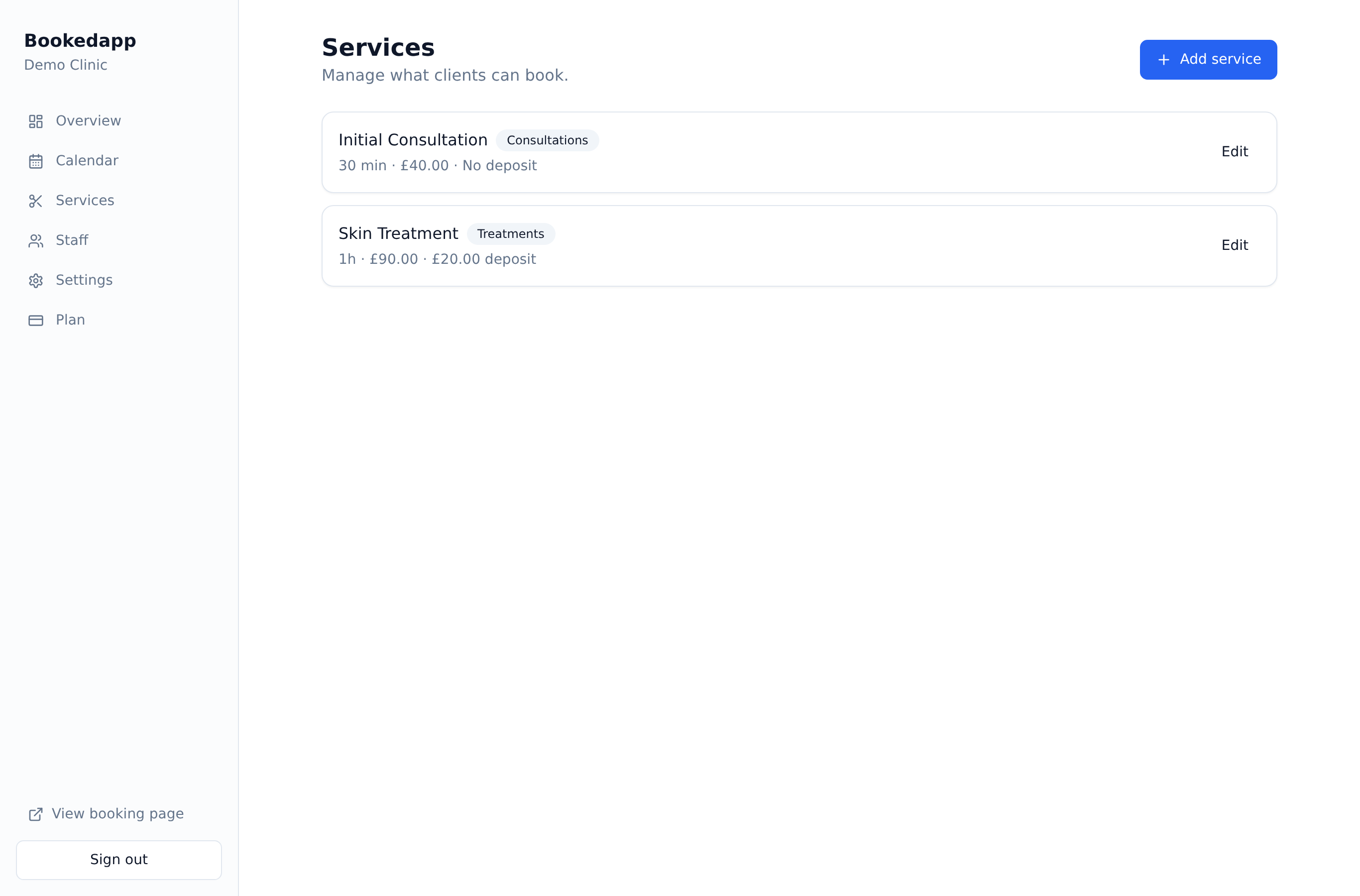
Go to Services and add the treatments customers can book, with a duration and price for each.
- 3
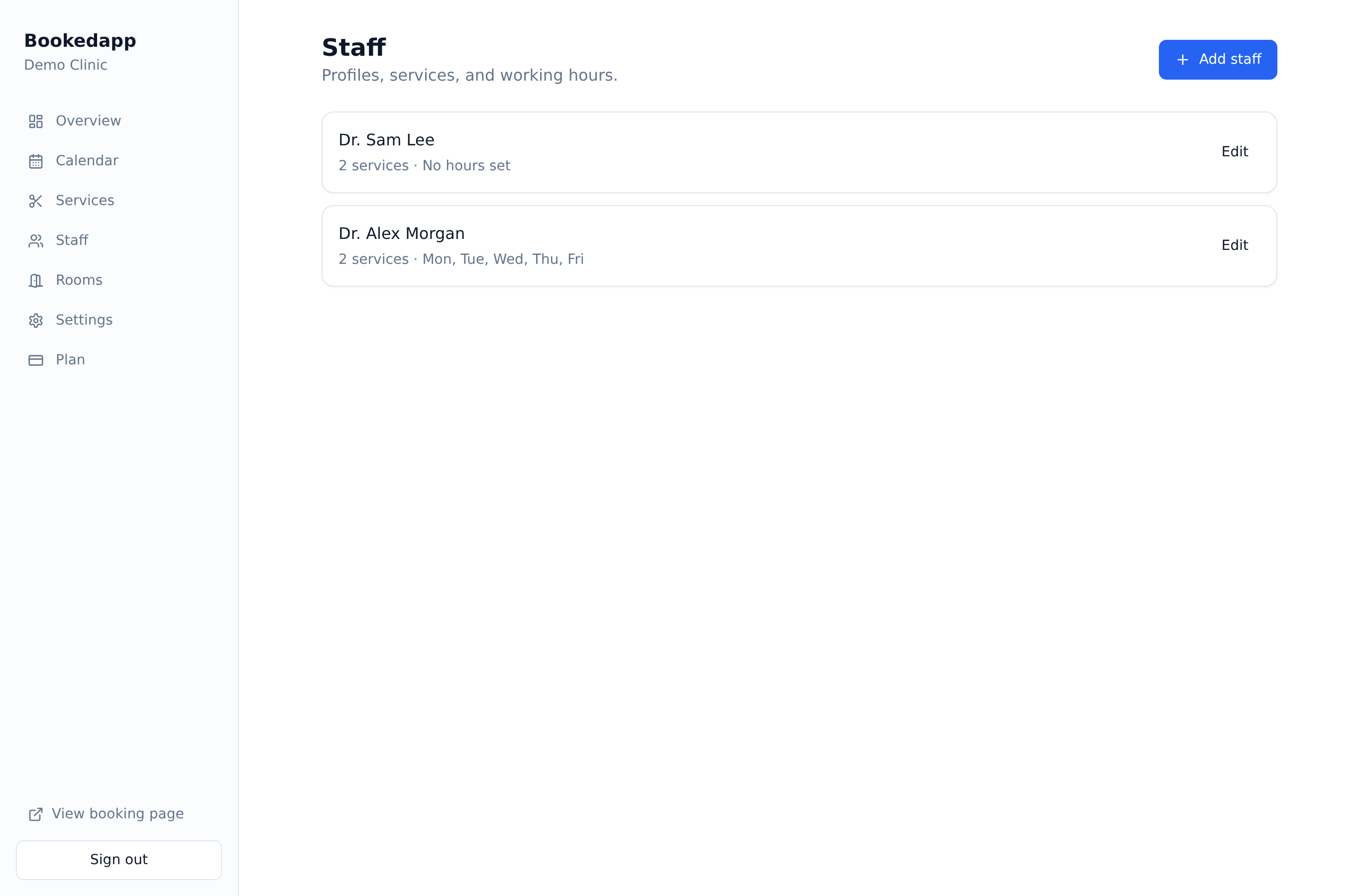
Go to Staff, add your team members and set their weekly working hours.
- 4
Open Settings → Business & hours and set your opening times.
- 5
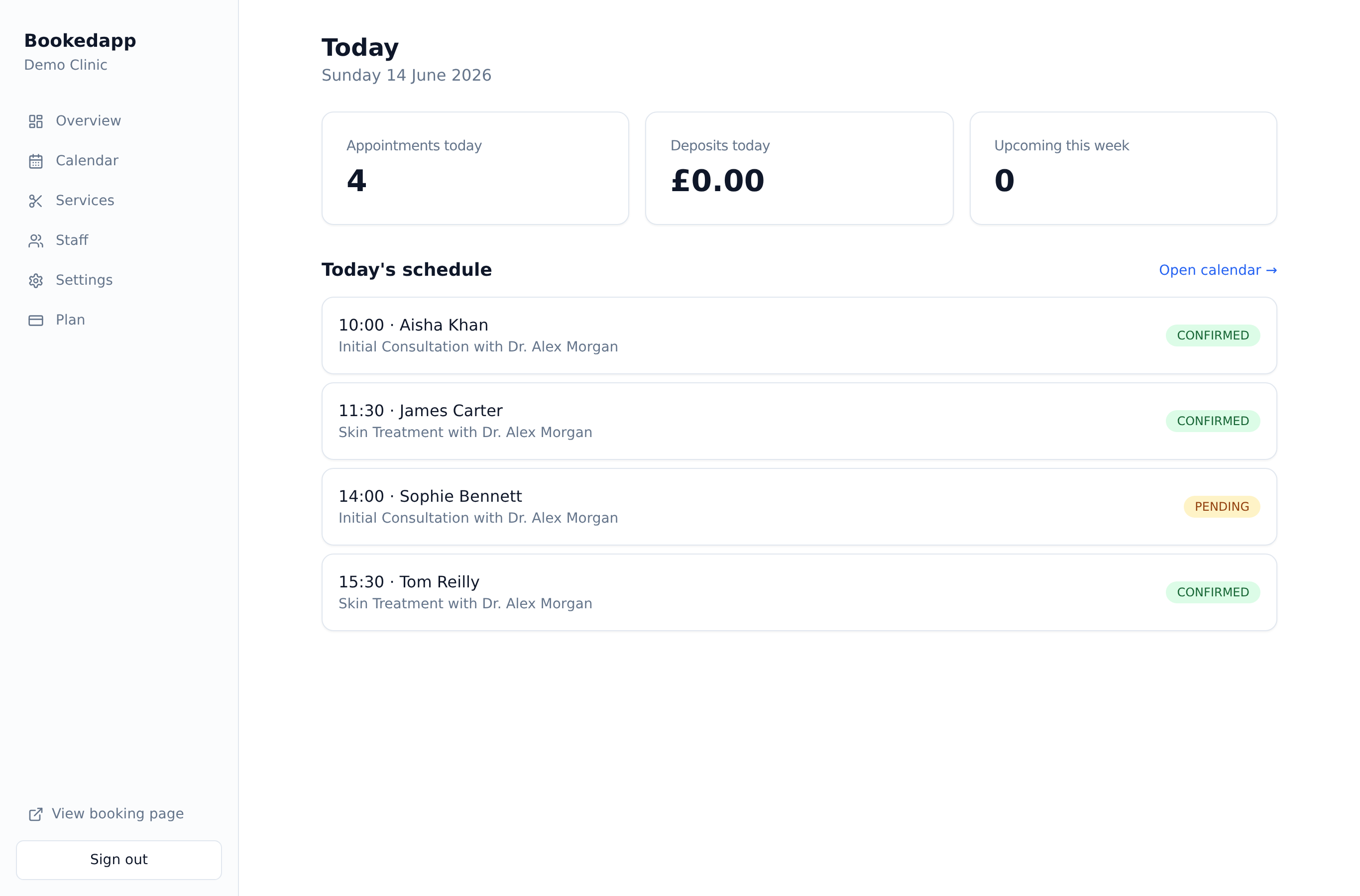
Share your booking page link (or embed it on your website) and take your first booking — it appears instantly on your Calendar.
Ready to get started?
Set up your booking page in minutes — start your 14-day free trial.
30-min walkthrough No commitment Google Meet
NAM
Bookedapp product teamHere to help you get set up
- Set up your booking page with your services
- Switch on AI no-show prediction & reminders
- Answer your questions — no pressure